Structured Cabling for Offices: Cat6, Cat6A or Fiber?
with the diagram image.
–>
Quick answer: For most offices, Cat6 cable is enough for every desk point. Choose Cat6A for new buildings, modern Wi-Fi access points and PoE cameras, because it carries 10 Gbps up to 100 m. Use fiber optic between floors, buildings and racks, or for any run longer than 100 m. Every point should be labelled and tested before handover.
Structured cabling is the foundation of the whole network: internet, phones, CCTV, Wi-Fi access points and attendance devices all depend on it. It is hidden inside walls and ceilings, but any mistake shows up later as a slow network or random drop-outs, and fixing it after fit-out is expensive. This guide explains how to choose cable types and plan the cabling for your office or building in Riyadh and across Saudi Arabia.
1. Cat6, Cat6A or fiber optic?
| Type | What it gives you | Best for |
|---|---|---|
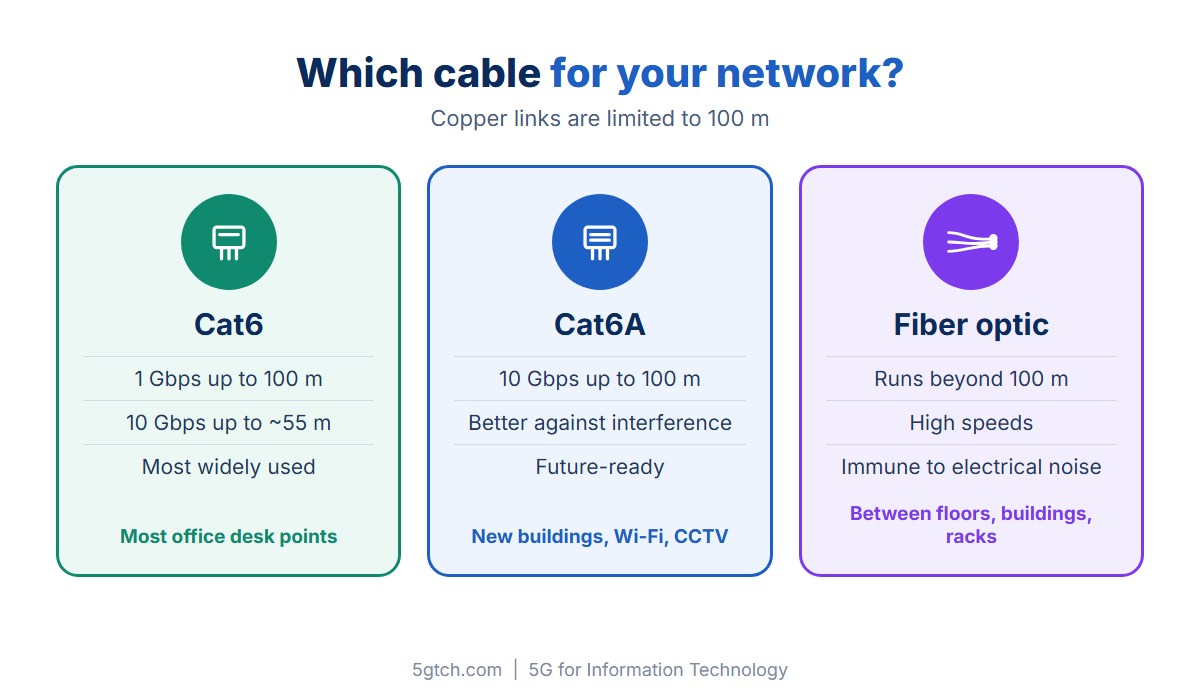
| Cat6 | 1 Gbps up to 100 m, and 10 Gbps over short runs of up to about 55 m. | Most offices: staff PCs, IP phones and printers. |
| Cat6A | 10 Gbps up to 100 m, with better resistance to interference. | New offices, modern Wi-Fi access points and PoE cameras. |
| Fiber optic | Far longer distances than 100 m, high speeds, immune to electrical interference. | Links between floors and buildings, and between the server room and floor racks. |
A practical rule: Cat6 for most desk points, Cat6A for new projects you want ready for the coming years, and fiber optic for the backbone between floors and buildings.
2. Respect the 100-metre limit
A copper link between the switch and the end device can be at most 100 m: up to 90 m of fixed cable in the wall, plus short patch cords. If the distance is longer, add a floor rack closer to the users and connect it to the main rack with fiber.
3. Racks and patch panels
Do not plug fixed cables straight into the switch. Terminate every cable on a patch panel in the rack, then connect it to the switch with short patch cords. That way any point can be moved or serviced without touching the fixed cabling. Choose a rack with spare space for switches, the NVR, a server and a UPS, with proper ventilation.
4. Labelling and testing
Every point needs a clear number on the wall outlet and on the patch panel, with a floor plan showing where it is. After installation, each cable is tested with a cable tester to confirm correct wiring and the expected performance. Ask for the test report at handover: it is your reference if a problem appears later.
5. Plan for the future
- Add spare points in every office and meeting room; they cost far less during installation than later.
- Plan points for Wi-Fi access points, CCTV cameras and attendance devices from the start, as they sit in ceilings, corridors and gates.
- Leave room in cable trays and conduits for new cables.
Common mistakes to avoid
- Running network cables alongside power cables over long distances.
- Bending cables sharply or pulling them too hard during installation.
- Mixing cable and connector types from different makers on one link.
- Handing over a project with no labels or test report.
FAQ
Is Cat6 enough for my office?
For most offices, yes. For a new office that should be ready for higher speeds and modern Wi-Fi access points, Cat6A is the better long-term choice.
Can you tidy up an old, crowded network rack?
Yes. We re-organise the rack, label and test the points, and replace what needs replacing, keeping downtime as short as possible.
How much does structured cabling cost in Riyadh?
It depends on the number of points, cable type, distances and number of racks, so we quote after a site survey.
Structured cabling with 5G for IT
5G for Information Technology designs and installs copper and fiber optic structured cabling, builds racks and patch panels, and labels and tests every point. We connect it to the rest of your network, such as Cisco switches and Hikvision CCTV. We are based in Al Olaya, Riyadh, and serve Jeddah, Dammam and other cities across Saudi Arabia. Contact us for a site survey and quote.